Simple Interactive Doors
Ever wanted those fancy doors that open (or close) when you shoot them, or walk near them, or—whatever your game logic demands? This tutorial shows how to animate a door in Unity with a straightforward script. We'll highlight how collisions can trigger the door logic and which GameObject the script belongs on.
Where should we put the "InteractDoor" script?
Let's think of three possible objects that could handle door logic:
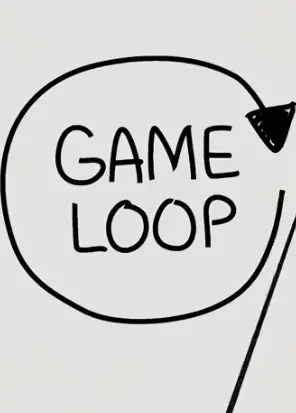
Option A: The Entire Game Loop
Sometimes devs keep broad logic in a manager or "Game loop" object. But does that manager specifically need to watch bullet collisions with door triggers? Probably not. Too big a scope!
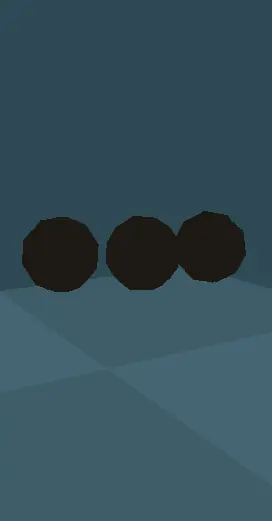
Option B: The Bullet
The bullet knows it's hitting something. But it doesn't really care if it's a door, an enemy, or a wall. We might have entire sections of the game without a door! Still not the best choice.
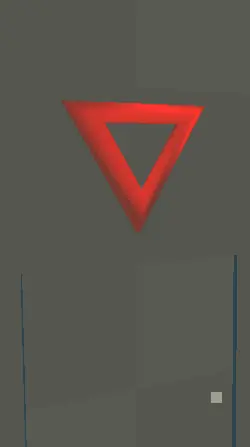
Option C: The Button/Sign
Placing our script on a button or the door itself that detects collisions from bullets makes sense. This makes it easy to keep track of what's opening or closing the door, too!
Clearly, "The Button" is the winner. We attachInteractDoor.cs to the object that actually receives the collision event—in this case, some sign or button object with a collider. Once it's hit, that object calls the door's open/close code.
How We Organized the Scene
In our sample project, we have:
Door - The actual door mesh that we move up/down.
Sign - The object with a BoxCollider and the InteractDoorscript.
We also need to add a BoxCollider to the sign. Then, attach the script to the sign so that it will "listen" for bullet collisions. Make sure to attach the Door field, so we successfully know what to move up or down.
The Door Interaction Script
using System.Collections;
using System.Collections.Generic;
using UnityEngine;

public class InteractDoor : MonoBehaviour
{
    public GameObject door;
    public bool isOpen;
    public bool movingUp;
    public bool movingDown;

    void OnCollisionEnter(Collision collision)
    {
        if(collision.gameObject.tag == "Bullet")
        {
            if(movingUp || movingDown) return;

            // Toggle door state
            if(!isOpen) {
                GetComponent<Renderer>().material.color = Color.green;
                movingUp = true;
                StartCoroutine(resetDoor());
            } else {
                GetComponent<Renderer>().material.color = Color.red;
                movingDown = true;
                StartCoroutine(resetDoor());
            }
            isOpen = !isOpen;
        }
    }

    IEnumerator resetDoor() {
        yield return new WaitForSeconds(2f);
        movingUp = false;
        movingDown = false;
    }

    void FixedUpdate() {
        if(movingUp) {
            door.transform.position += new Vector3(0,0.03f,0);
        }
        if(movingDown) {
            door.transform.position += new Vector3(0,-0.03f,0);
        }
    }
}
Note that if you want walk-up style door interaction, you might set isTrigger = true and do OnTriggerEnter. If you need a more polished motion, you could animate the door with an Animator or timeline. The WaitForSeconds(2f) is arbitrary; feel free to adjust or remove if you want to instantly reverse the door state.
That's It!
Once you have this simple script on your sign (or button) object, collisions from bullets (tagged "Bullet") will pop the door up or down. Grab the Starter or Complete project from the links above to see it in action.